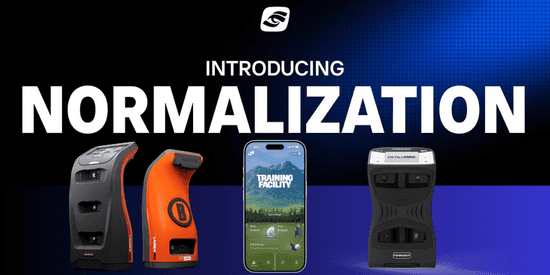
Ball and environmental normalization are the latest additions to the Foresight Mobile App, giving golfers more accurate data whether they are practicing with range balls, limited-flight balls, or playing in changing conditions.
For golfers who rely on launch monitor data, not all practice environments are created equal.
Range balls, limited-flight balls, elevation changes, temperature, humidity and other environmental factors can all influence what a player sees on the screen — and how that data translates to the golf course. The latest update to the Foresight Mobile App is aimed at closing that gap.
Foresight has added ball and environmental normalization to its mobile app, giving golfers a more accurate way to interpret their numbers whether they are practicing at home, warming up at the range, or traveling to play in different conditions.
What Normalization Does
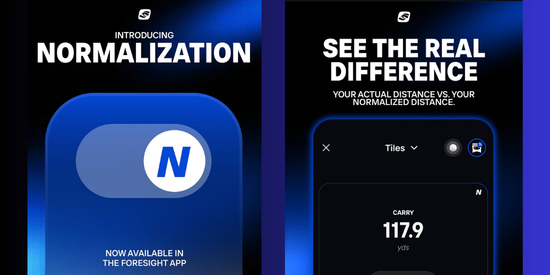
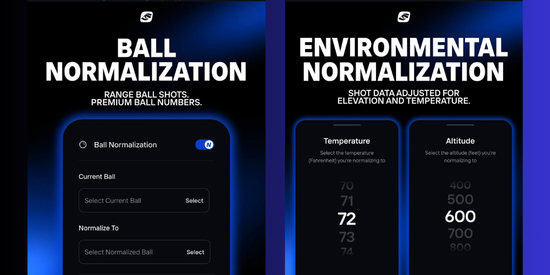
The new Normalization feature allows players to dial in their ball data when using range balls or limited-flight balls, while also accounting for environmental changes such as elevation and climate.
For competitive amateurs, that can be especially useful when preparing away from home, practicing with non-premium balls, or trying to understand how stock yardages may change in different playing conditions.
Instead of guessing how a range session compares to on-course performance, golfers can use Normalization to get a clearer picture of how shots would perform under more representative conditions. That means more reliable carry numbers, better gapping work and a more practical way to make launch monitor sessions travel from the practice tee to the first tee.
Why it matters: Better normalized data can help golfers make smarter practice decisions, especially when range conditions do not match the golf course.
Built for Real-World Practice
For many golfers, practice does not always happen with the same ball, at the same elevation, or in the same weather. That is especially true for amateurs who travel for tournaments or use public practice facilities where range balls can vary significantly.
Normalization gives those players a more useful way to understand their numbers. Whether a golfer is dialing in wedges with range balls, preparing for a trip to higher elevation, or comparing practice sessions across different locations, the feature is designed to make launch monitor feedback more relevant.
The Foresight App is available on both iOS and Android and is compatible with the Bushnell Launch Pro.
More Than a Data Display
While Normalization is the newest addition, it joins a growing list of features designed to make the Foresight App more than a simple data display. The app has continued to evolve into a full practice and performance platform, combining shot data, visual feedback and structured training tools.
Drill Library
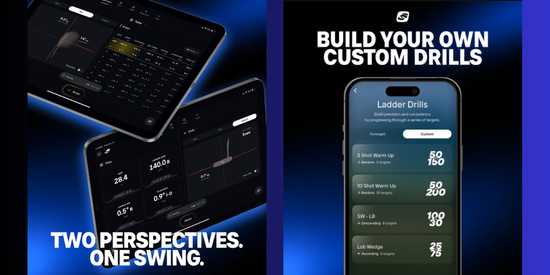
One of those tools is the Drill Library, which gives players a collection of goal-driven practice sessions instead of leaving them to hit ball after ball without a plan.
The feature is designed to bring more structure to practice by giving golfers measurable objectives and a clearer sense of progression.
Split View
The app also includes Split View, allowing players to see ball flight visuals and data side by side.
For golfers working on specific numbers — carry distance, dispersion, launch, spin or club gapping — that layout can make it easier to connect what they see in the shot window with the data behind it.
Target Practice
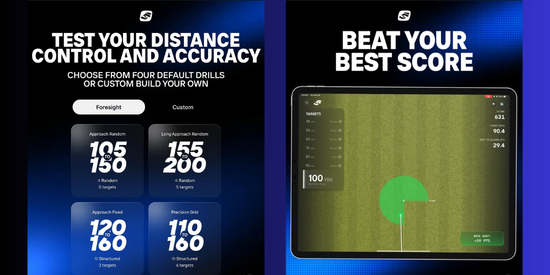
Another key training feature is Target Practice, a game-like mode built around distance control and accuracy.
Players can aim at defined targets, receive real-time scoring feedback and review performance summaries after a session. Rather than simply tracking shots, Target Practice turns practice into a measurable challenge, helping golfers identify patterns, misses and areas for improvement.
Better Data, Better Practice
Together, these features make the Foresight App a useful tool for players who want more from their launch monitor sessions. Normalization gives golfers a better way to account for real-world variables, while Drill Library, Split View and Target Practice add structure, context and competition to the practice experience.
For amateurs trying to sharpen their games between tournaments, the value is straightforward: better data leads to better decisions.
Whether dialing in wedges with range balls, preparing for a trip to higher elevation, or building more consistent practice habits at home, the Foresight App is giving players more ways to make their numbers meaningful.